A project, end to end
This page follows one real project through the factory. The starting point: a pull request adding a Babysitters section to a household app, with no tests and a few bugs in how it paid shifts. The goal was to fix and test it, merge it into main and deploy it.
The crew took it from a spec to eight merged pull requests in about three hours, and asked the person five questions along the way. New to the factory? Start with Get started.
The crew
Open the Crew page in the console (http://127.0.0.1:8787/crew locally) to see who is on the crew, what each member is doing, and the projects it is working on.
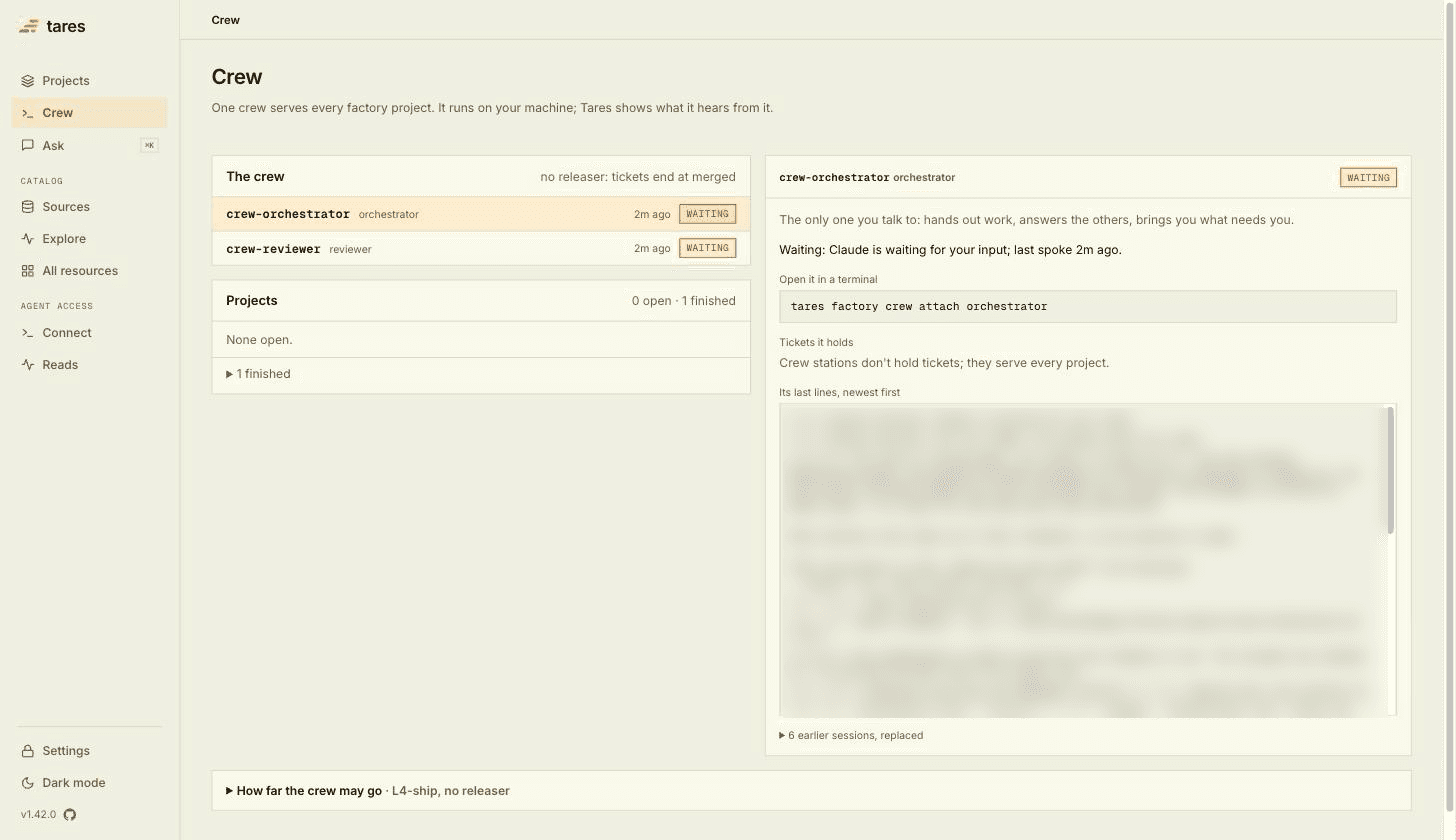
- The crew lists each station with its role and state: working, waiting, quiet or ended.
- Projects lists the open projects with their builders, and the finished ones folded below.
- Click a station to see the command that opens it in your terminal, the tickets it holds with their stage and pull request, and its last lines.
- How far the crew may go shows what you chose at
crew up. Here the crew merges on its own once the reviewer passes a pull request and CI is green, there is no releaser, and two builders may run at once.
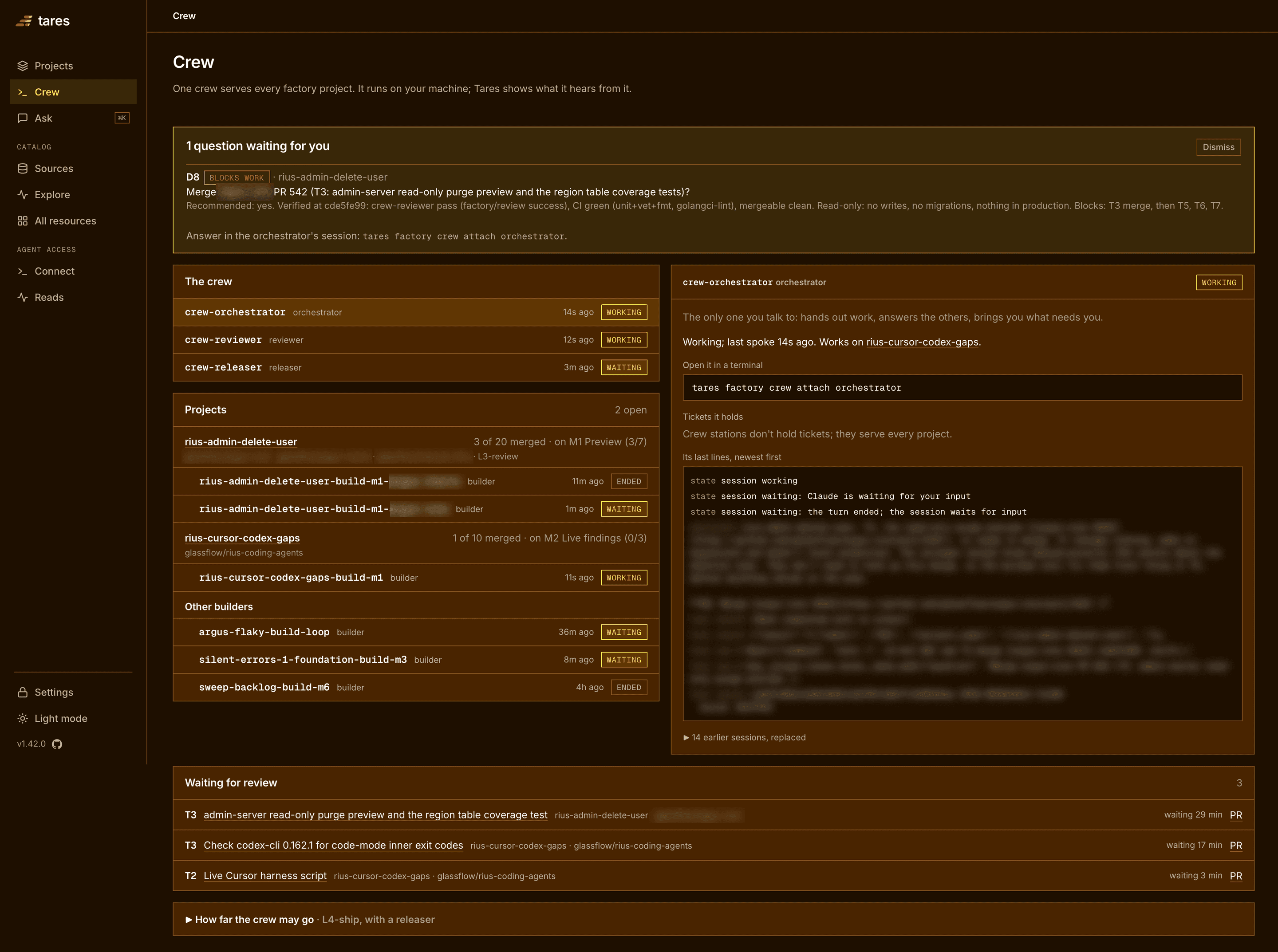
Pull requests waiting for the reviewer appear in a review queue, and questions waiting for you appear at the top. Here is the same page on another machine, with two projects open, one question waiting and three pull requests in the queue (private repo names are blurred):
The project page
Every project you hand to the crew gets a page of its own, the record of the whole build.
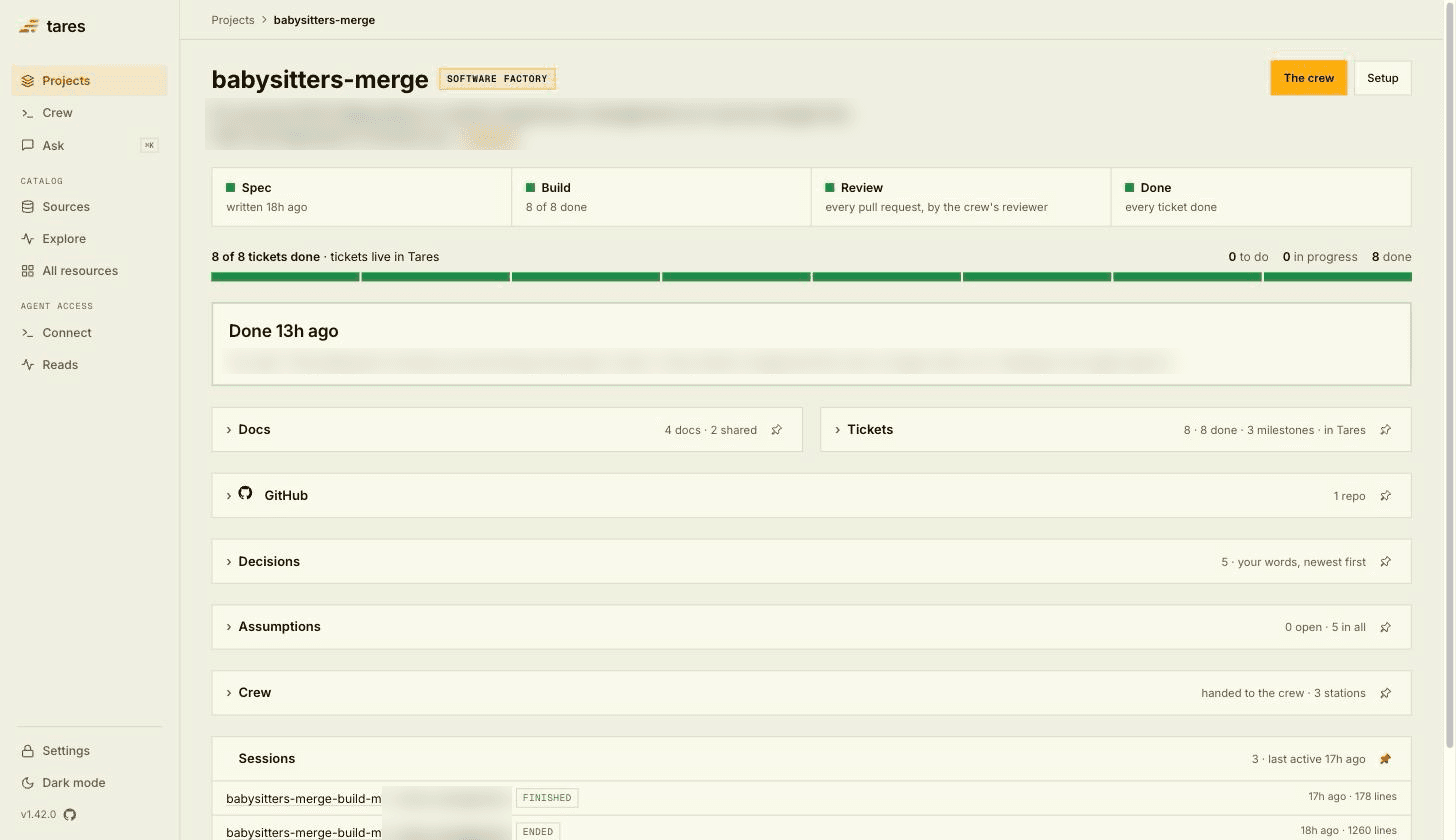
Across the top, four steps: Spec, Build, Review and Done, and a progress bar with one segment per ticket. Below them, each part of the record folds open:
| Fold | What it holds |
|---|---|
| Docs | The starting prompt, the spec, the plan and the project’s AGENTS.md, plus the AGENTS.md and memory shared by every project. |
| Tickets | Milestones with their acceptance checks, and each ticket with the builder that held it, its pull request and its review rounds. |
| GitHub | The repos the project changes, where each is checked out, its open and merged pull requests. |
| Decisions | Every question the crew asked you and your answer, in your own words, newest first. |
| Assumptions | Every choice the crew made on its own, and whether you kept it. |
| Crew | The stations that worked on this project. |
| Sessions | The recorded Claude Code sessions, from the spec session to each builder. |
1. The spec
The person ran tares factory spec in the repo and answered Claude Code’s questions. A second
model challenged the plan, and the result went into Tares: a spec (“make the Babysitters PR
mergeable”), a plan, an AGENTS.md for the project, and three milestones, each with acceptance
checks.
- M1, tests and CI on the branch: Vitest, unit tests for the babysitting logic, and a CI check on every pull request.
- M2, payout history stays as it was: deactivating a sitter or changing a rate leaves past weeks as they were, and “today” is the household’s date.
- M3, merged and live: the pull request documented, merged into main and running in production.
At the end, the person said yes to handing the project to the crew. The orchestrator picked it up and started a builder for the first milestone.
2. Build and review
The builder (babysitters-merge-build-m1) worked through the tickets one at a time. For each, it
made a branch, did the work, and opened a pull request. The reviewer reviewed every pull request
and posted its verdict. Once the verdict passed and CI was green, the builder merged.
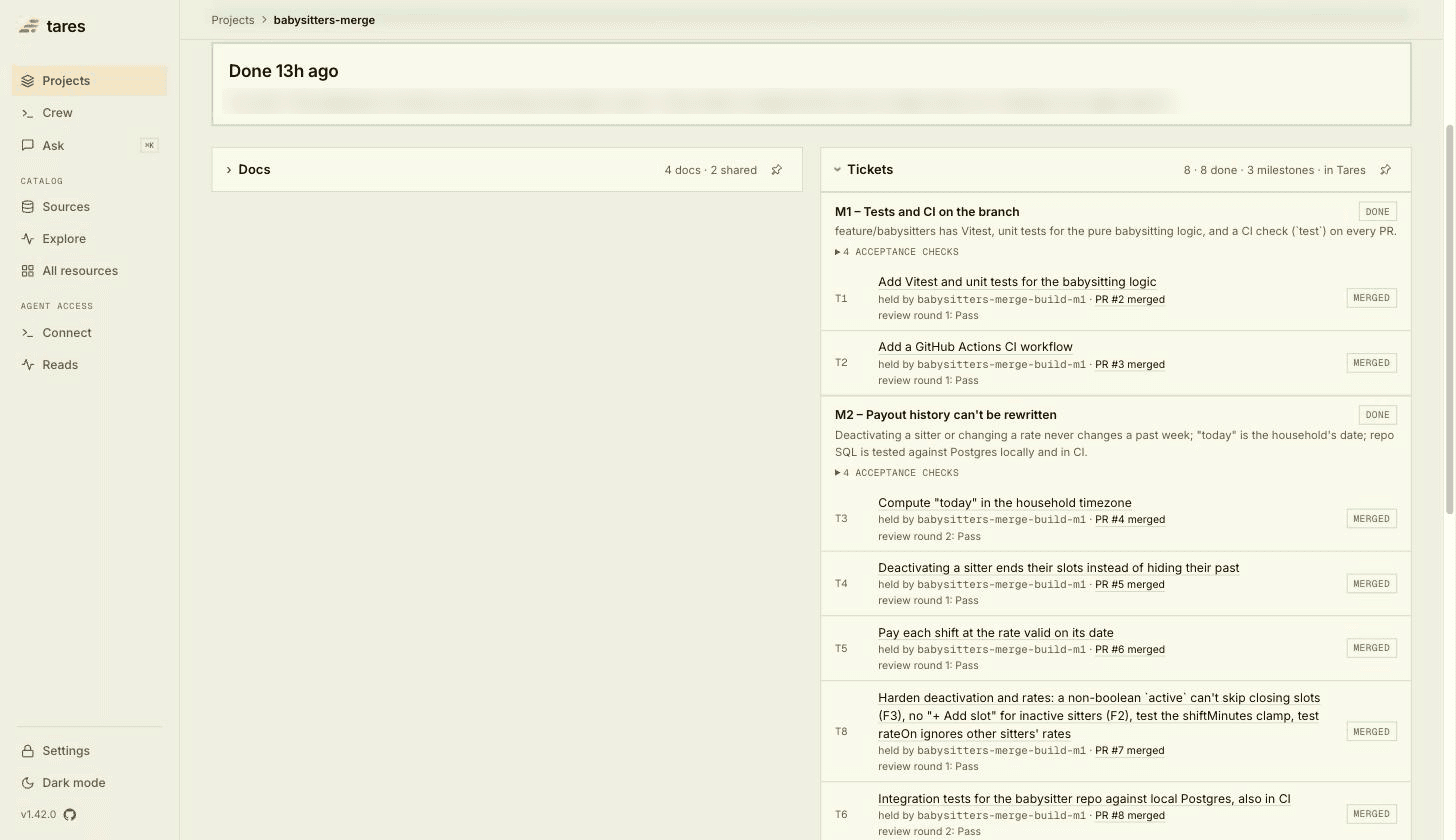
Most tickets passed review on the first round. Two (T3 and T6) took a second round: the
reviewer asked for changes, the builder made them, and the next round passed.
The reviewer also found smaller issues outside the ticket it was reviewing. The orchestrator
turned them into a new ticket, T8, placed it in M2 before the integration tests, and the builder
fixed them there. The plan grew by one ticket on its own.
3. Questions and assumptions
You answer the crew’s questions in the orchestrator’s session. This project raised five:
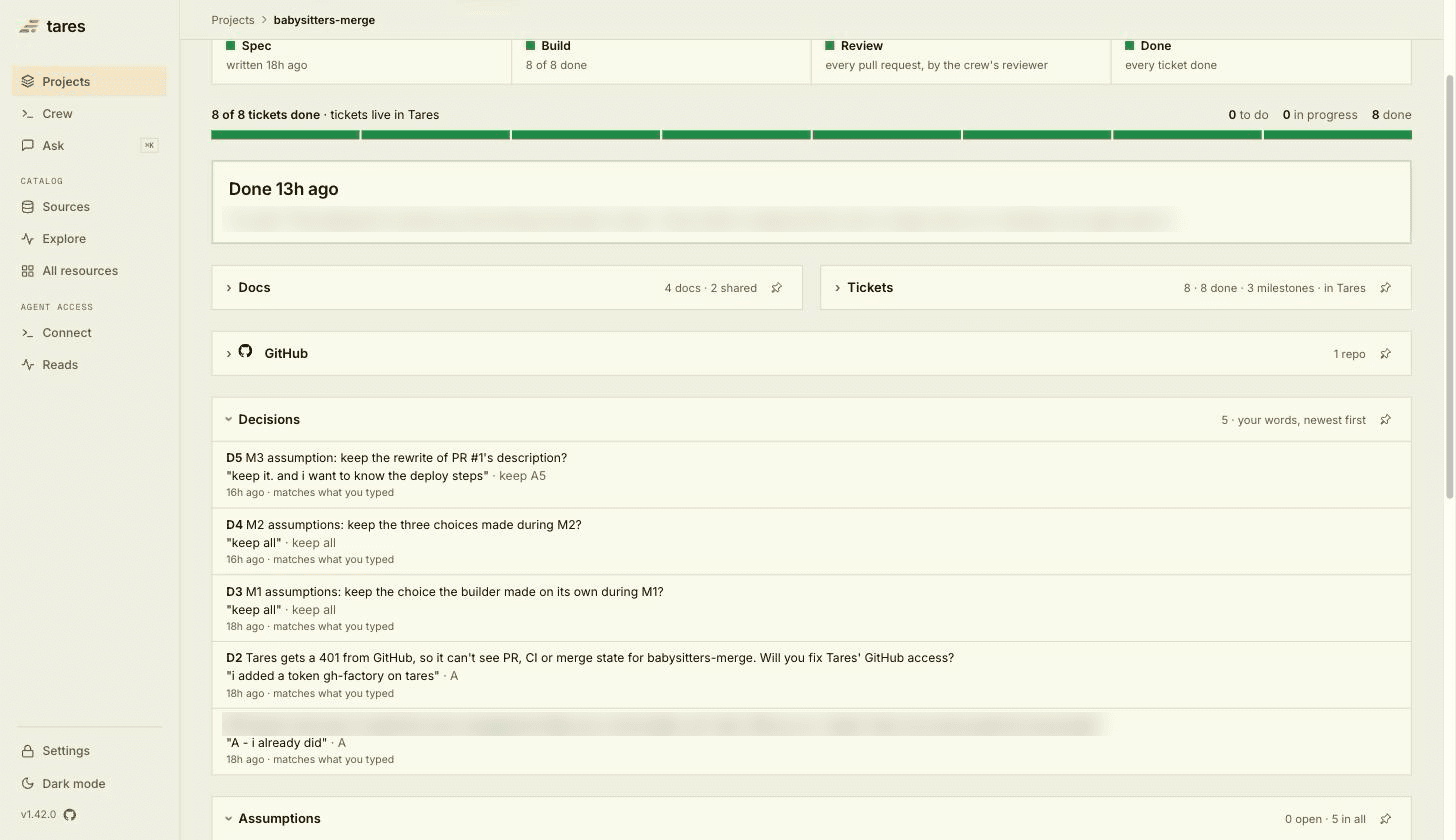
- Two were steps only the person could take on their machine: trusting the repo folder in Claude Code once, so the builder could start (D1), and giving Tares a GitHub token, so it could read pull request, CI and merge state (D2).
- Three came at the end of each milestone: keep the choices the crew made on its own during it? (D3, D4, D5)
Those choices are the assumptions. When the crew met something the plan didn’t cover, it picked the sensible answer, wrote it down as an assumption, and carried on. In this project:
- The working doc named
vitest.config.ts, which fails to load on the repo’s Node version. The builder usedvitest.config.mtsinstead (A1). - Sitters already inactive in production would keep open-ended slots. The builder left existing data alone, flagged it in the pull request, and left any production fix to the person (A2).
- The reviewer’s smaller findings became ticket
T8(A3). - The CI job for database tests ran on the same Node version as the unit tests, not the one in the working doc (A4).
- Pull request #1 already had a description. The builder rewrote it into the documented sections instead of appending (A5).
At the end of each milestone, the orchestrator brought you its assumptions in one question. The person kept all five. To make an answer stand from now on, say so, for this project or for every project.
4. Done
After the last milestone, the orchestrator asked whether the project was finished. The person deployed it and answered that it was fully deployed, working, and done. Tares marked the project Done with those words, every ticket merged, and moved it to the finished list on the Crew page.
With no project left, the orchestrator asked whether to stop the crew. Run
tares factory crew down to stop every station, and crew up when you have the next project.
Tares keeps the projects, tickets and answers, so the crew carries on from them.
To pick up a finished project again, hand it to the crew again, for example with a follow-up spec.
While a project is building
The screenshots below are from a project in the middle of its build: 20 tickets over three milestones and three repos, three tickets merged and a fourth in review. Its private repo names are blurred.
The ticket in progress
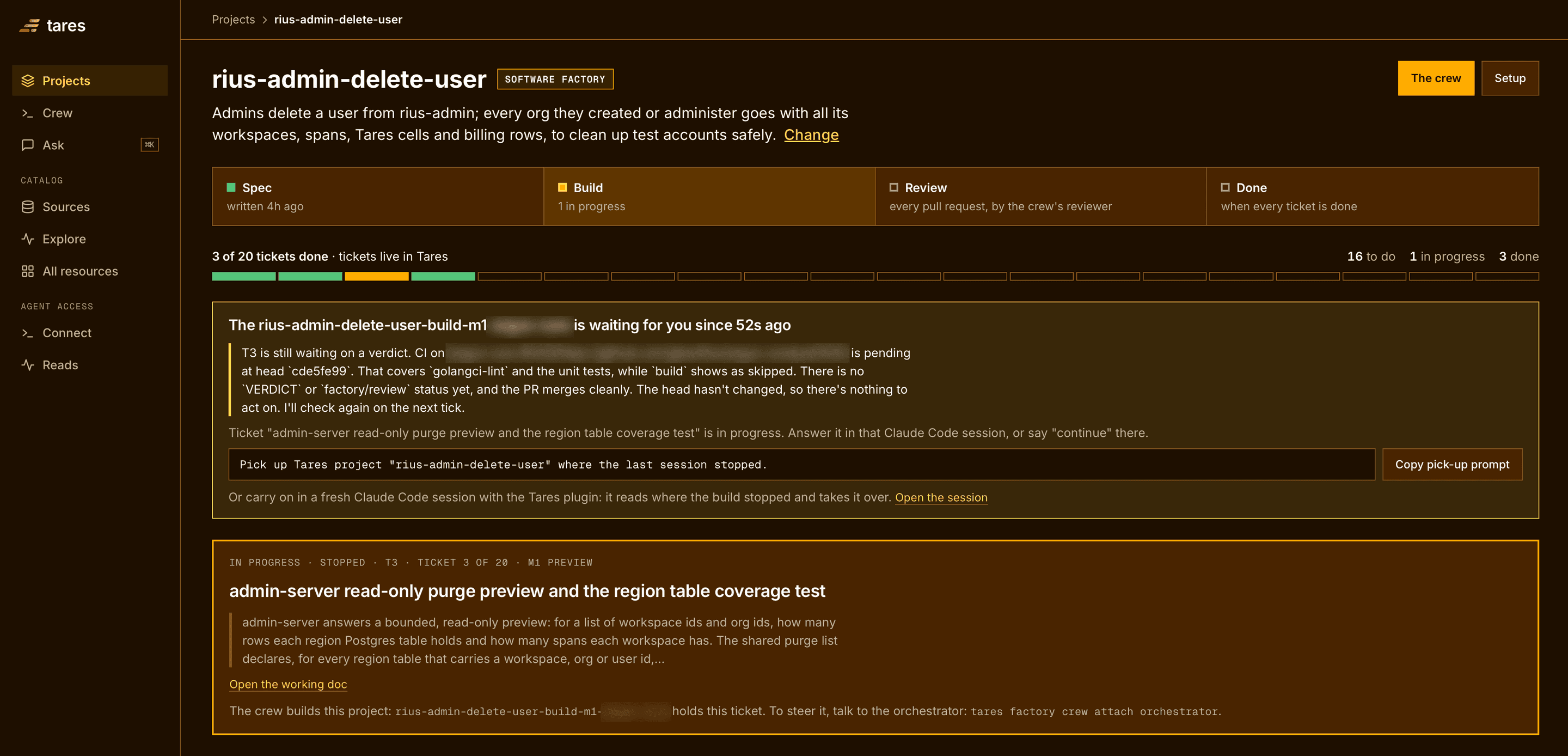
The ticket in progress sits at the top of the page: its milestone, the start of its working doc, and the station that holds it. To steer the work, talk to the orchestrator.
When the station holding the ticket waits, a notice above the ticket shows its last message. Here the builder is waiting for the reviewer’s verdict on its pull request. The orchestrator answers the builders and brings you what needs you, as a question in its session. The page lists those questions too, under questions waiting for you.
Tickets
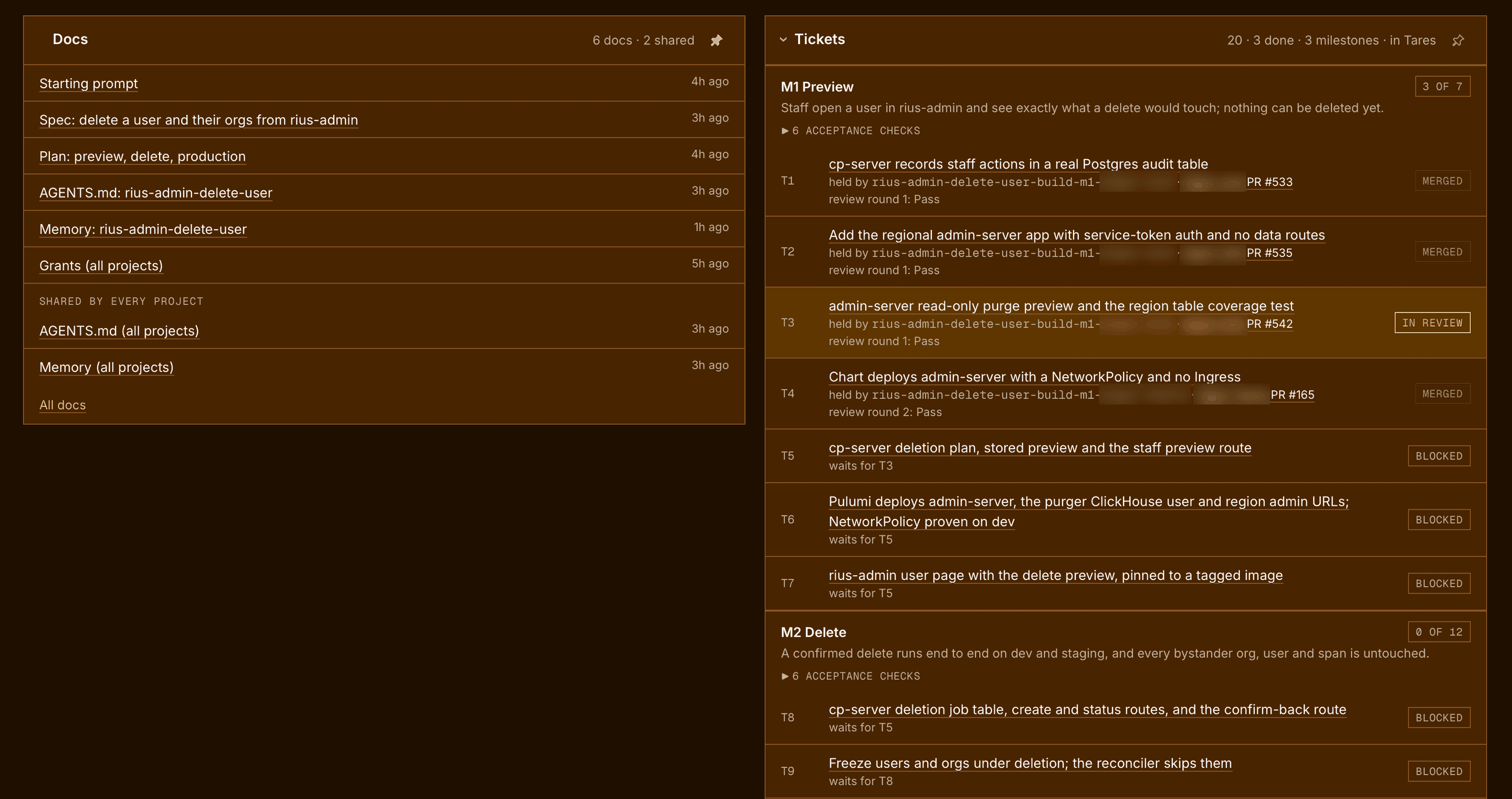
Each ticket shows its state: to do, in progress, in review, merged or blocked. A blocked ticket
names the tickets it waits for. T4 took two review rounds: the reviewer asked for changes, and
the second round passed.
Decisions and assumptions
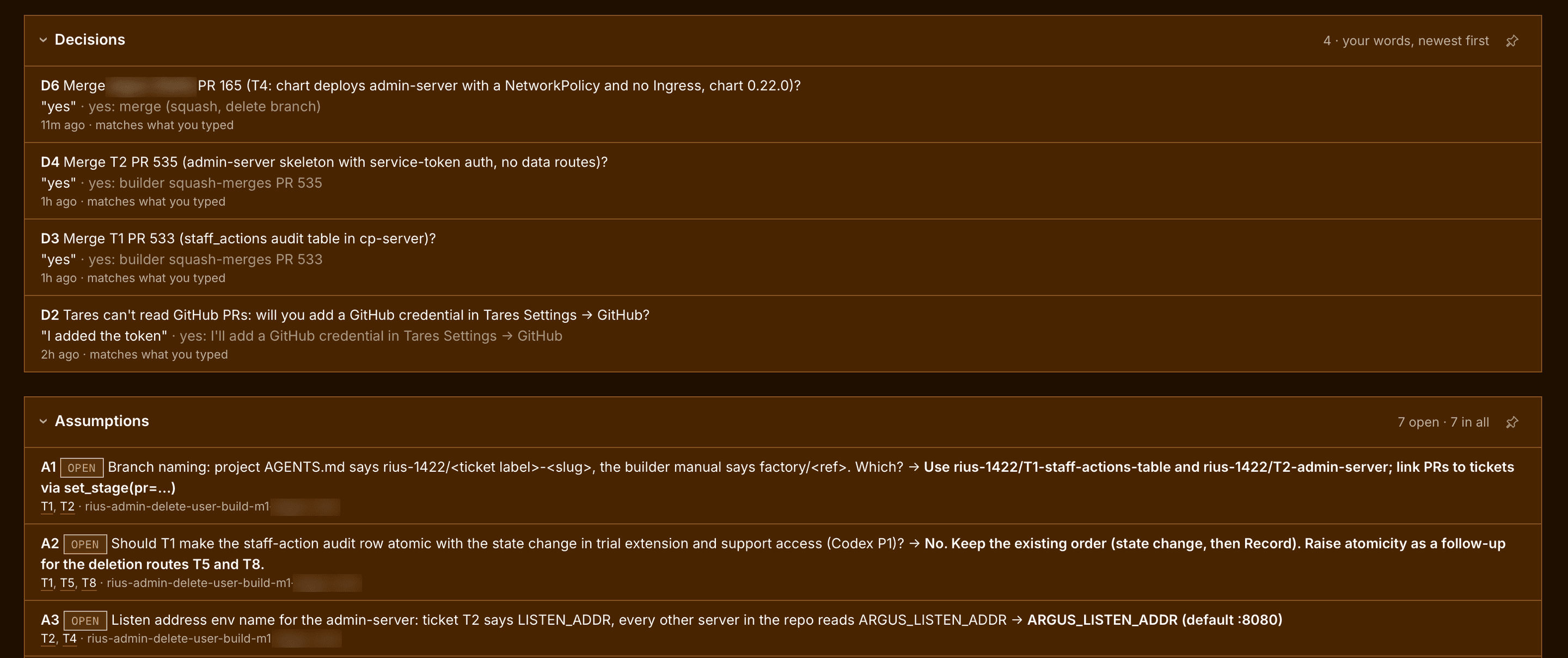
This project waits for the person’s yes before every merge, so most of its decisions so far are merge approvals, each with the answer as typed.
Mid-build, the assumptions are still open. The orchestrator brings them to you together at the end of the milestone. Each one names the tickets it touches and the builder that made it.
Docs
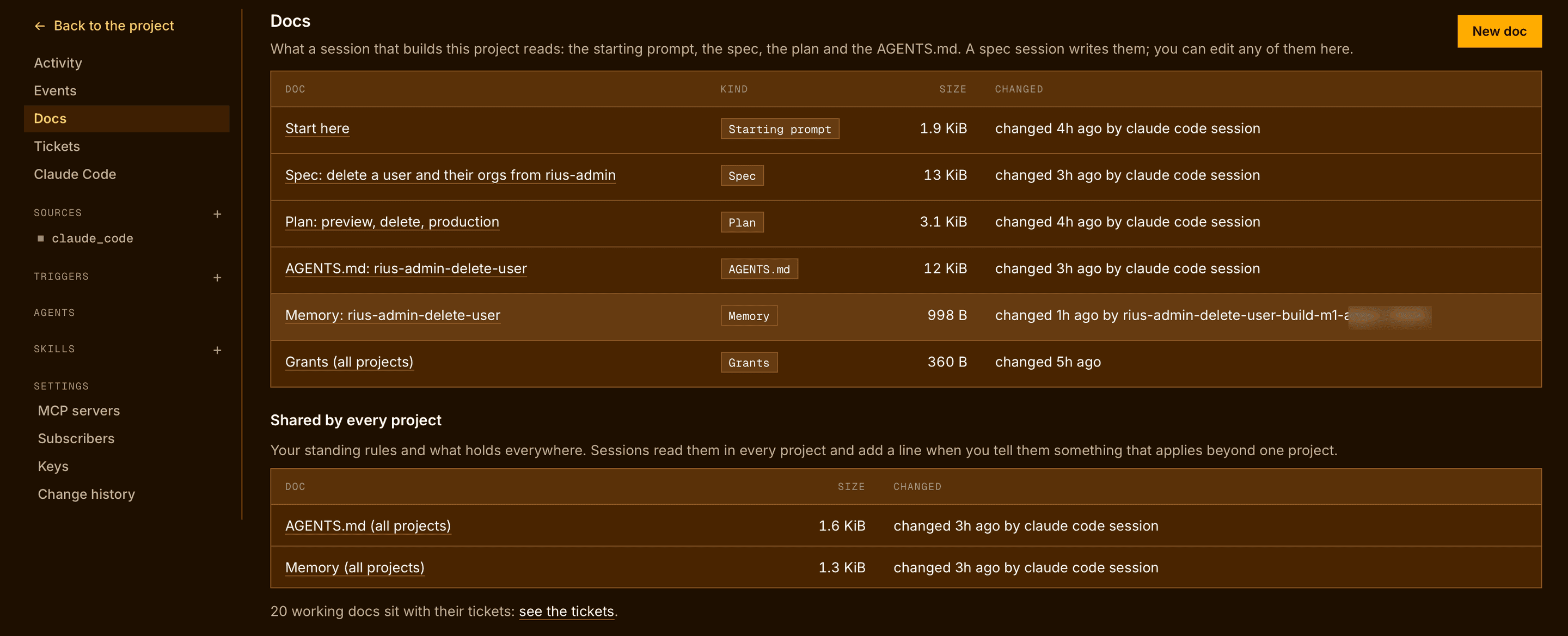
All docs, at the foot of the Docs fold, lists what every session that builds the project reads: the starting prompt, the spec, the plan and the project’s AGENTS.md, which the spec session wrote, and the project’s memory, which its sessions add to as they work. Below them are the AGENTS.md and memory shared by every project. You can edit any of them there. Each ticket’s working doc sits with its ticket.