Settings
Everything under the console’s Settings page, one section per tab: the workspace itself, its API keys, the organization and its members, the shared views that leave it, the attributes declared for search, the organization’s plan, and where the workspace’s data is held.
A Rius workspace is where your traces live. Every trace your SDK or collector sends belongs to exactly one workspace, determined by the API key it authenticates with. The workspace switcher sits at the top of the sidebar; everything you see in the console (traces, agents, keys, settings) is scoped to the selected workspace.
Switching and creating workspaces
The switcher at the top of the sidebar reads organization / workspace, so you can tell two same-named workspaces in different organizations apart. Click it to open Switch workspace. It lists the workspaces in this console’s region; type to find one, and if you belong to more than one organization, the list groups them by organization. Switching keeps you in the same section, so Traces opens the other workspace’s Traces; from a single trace you land on its trace list.
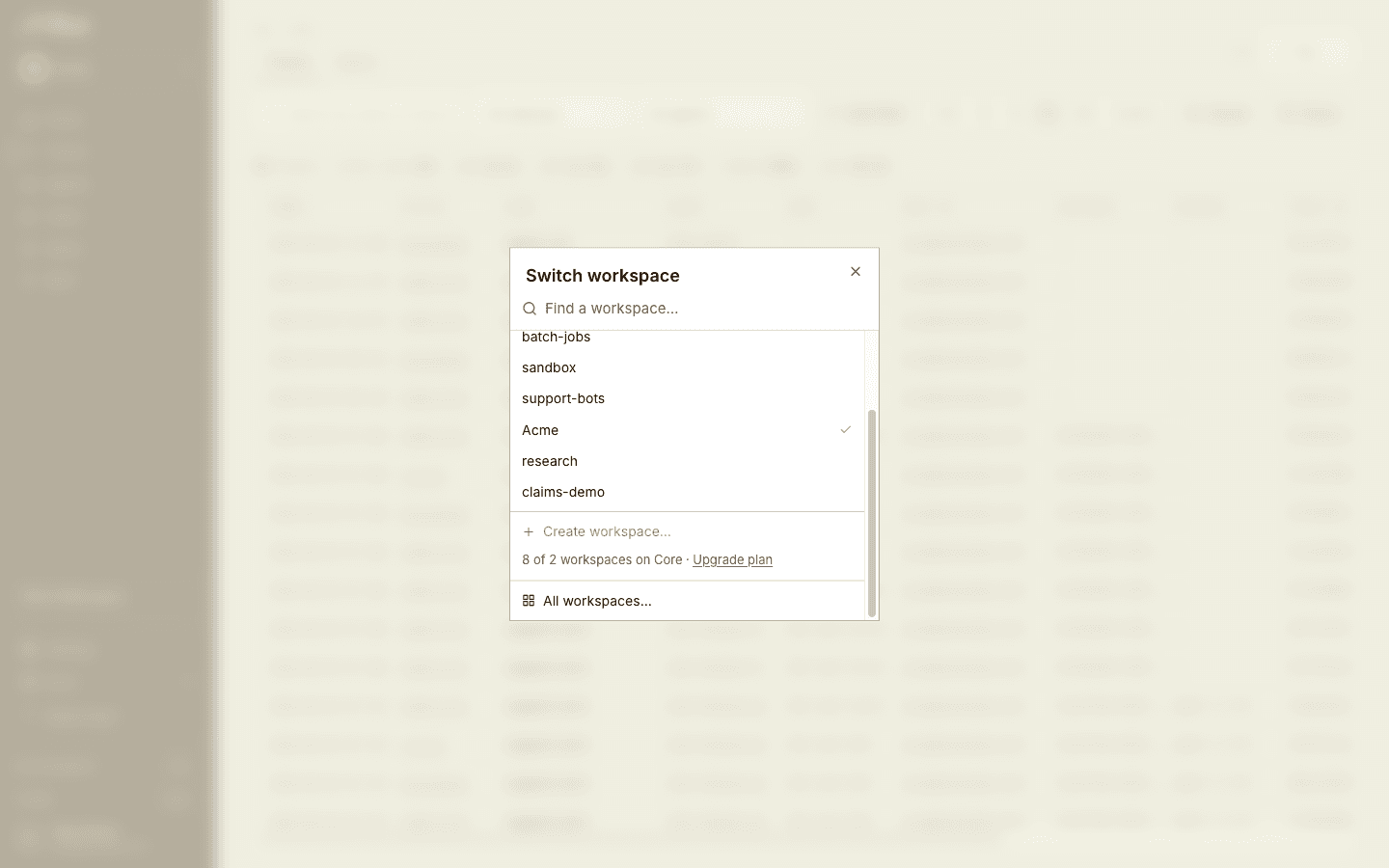
Admins also get Create workspace… at the bottom of the list. A new workspace needs a name and a region. The region decides where its traces are stored and can’t be changed later. The entry is disabled once the organization reaches its plan’s workspace limit. An organization can also end up holding more workspaces than its plan allows, for example after a downgrade; an admin then picks which workspaces keep ingesting, see Over the workspace limit. All workspaces… opens Choose a workspace at console.rius-glassflow.com , which lists your workspaces in every region.
Workspace
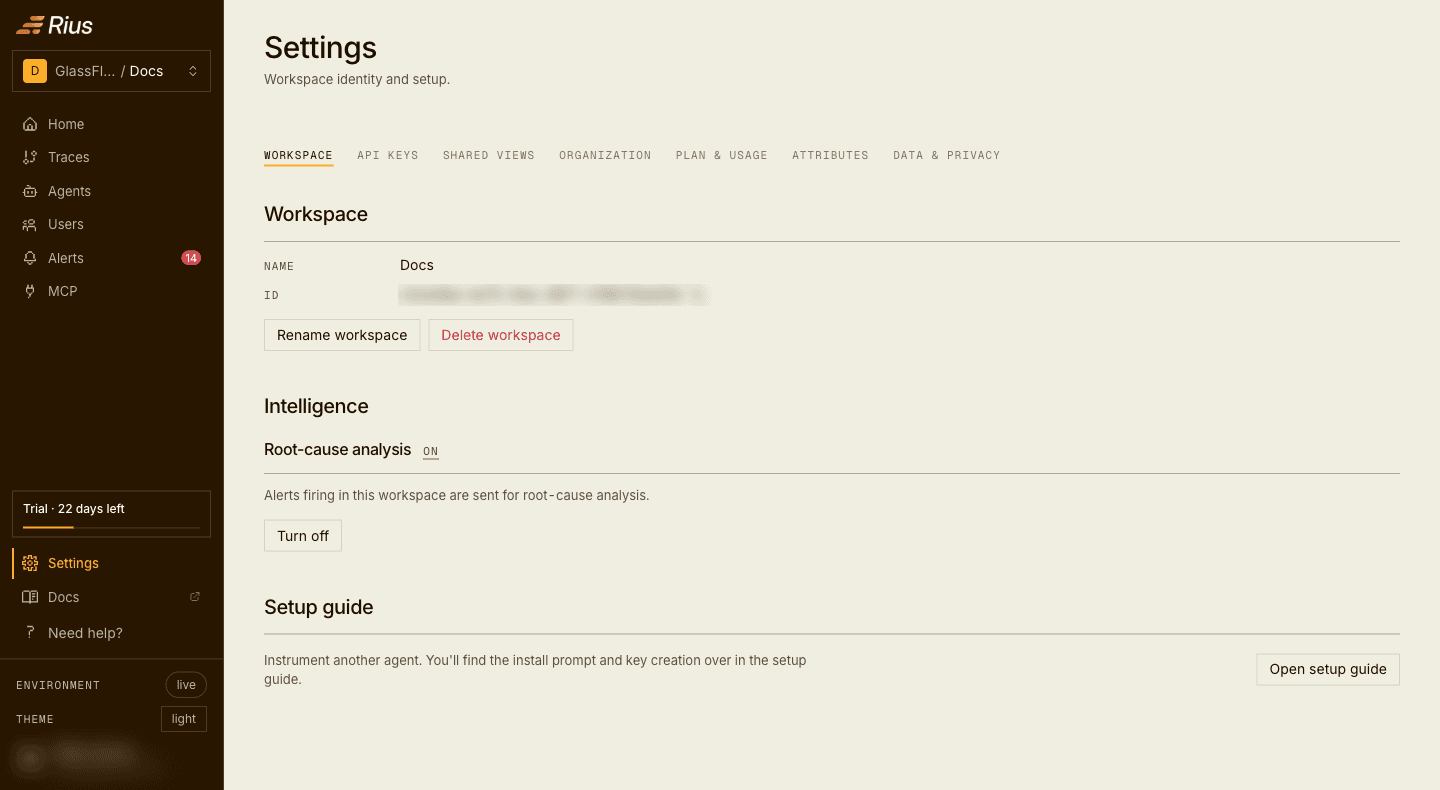
Settings → Workspace shows the workspace’s name and ID. Admins can rename or delete the workspace; members see the name and ID only. Workspace names are up to 60 characters:
API keys
API keys authenticate ingest, requests to
https://ingest.eu.console.rius-glassflow.com (the SDK’s default
endpoint). Each key belongs to one workspace: traces sent with it appear
there and nowhere else. Create keys from Settings → API keys or from
the Get started page:
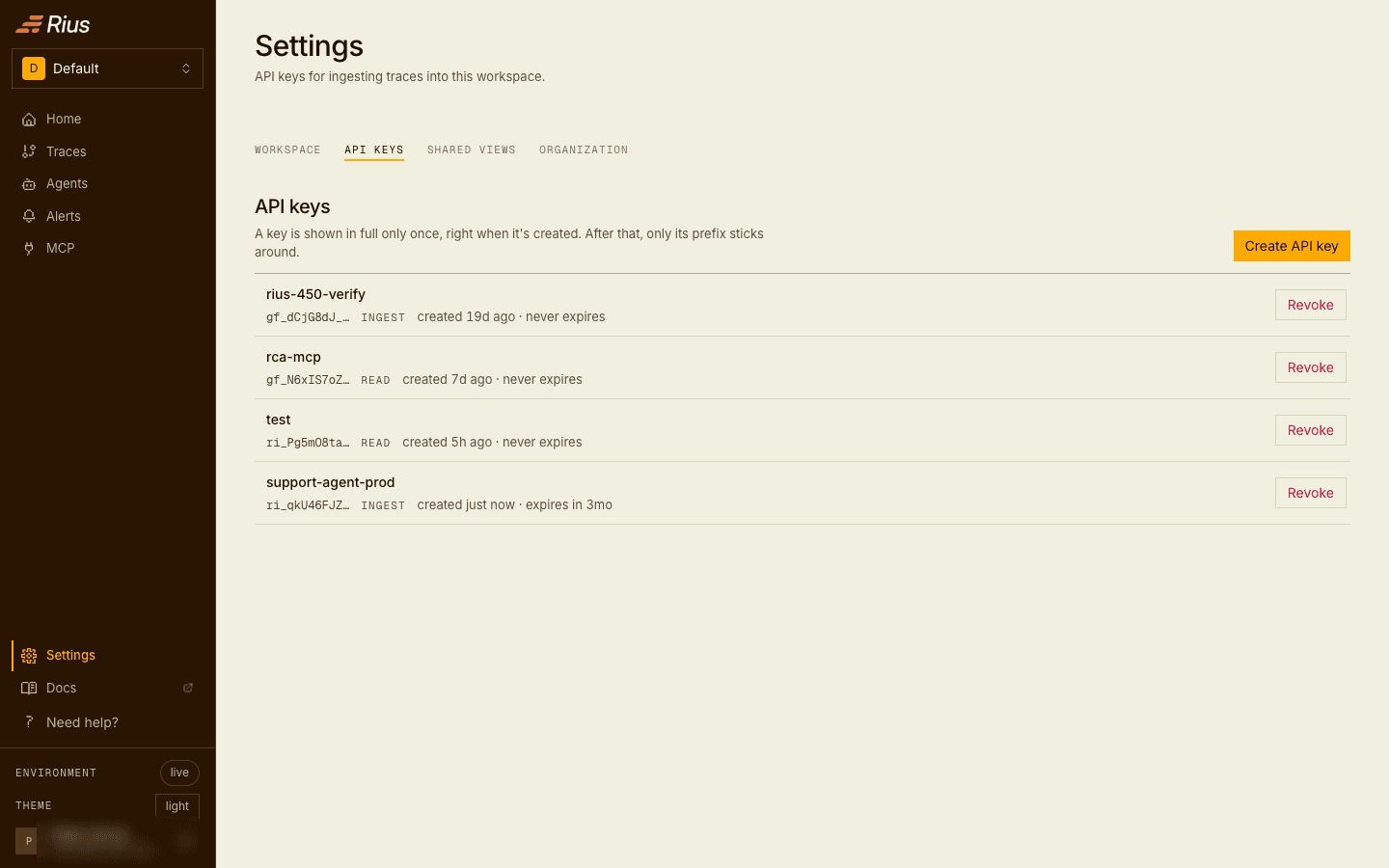
Only admins create and revoke keys. Members see the key list, which carries names and prefixes but no secret material.
A key carries the capabilities you pick when you create it. Send
telemetry (ingest), the default, is what the SDK needs. Query data
(read) lets the key read traces and metrics and connect an MCP client; a
key with both scopes serves an agent that ships its own traces and queries
them. Two further scopes, alerts:manage and channels:manage, let a
headless agent manage alerting; they are minted only from the MCP page’s
Connect an agent dialog, see
headless connections.
Keys start with ri_. Keys minted before the prefix change start with
gf_ and keep working; there is no need to rotate them for the prefix
alone.
A key can carry an expiry, chosen when it is created: 30 days, 90 days, one year, or never, which is the default. The key list shows each key’s expiry and marks keys that are about to expire and keys that have expired. An expired key fails authentication exactly like a revoked one, so treat expiry as a scheduled rotation: mint the replacement before the date, move your agents over, and let the old key lapse.
Admins can Edit a key to change its name and scopes without re-issuing it. A change applies to MCP connections on the next request, and to ingest within about 30 seconds. Expired keys cannot be edited. The MCP page’s Access tab shows whether each key is active and when it was last used.
A key is shown in full exactly once, when it is created; afterwards the console keeps only its name and prefix, and the server stores only a hash. Lose a key and the path is revoke and reissue, there is no recovery. Revoke takes effect immediately: in-flight traffic with a revoked key starts failing authentication right away, so rotate by creating the new key first, moving your agents over, then revoking the old one. The one exception is an MCP client already connected with the key, which can keep working for up to a minute because the MCP server caches key validation briefly.
Organization and members
Workspaces, members, and invitations belong to the organization; it spans every workspace you are a member of. Settings → Organization shows the organization’s name, your role, and the member list:
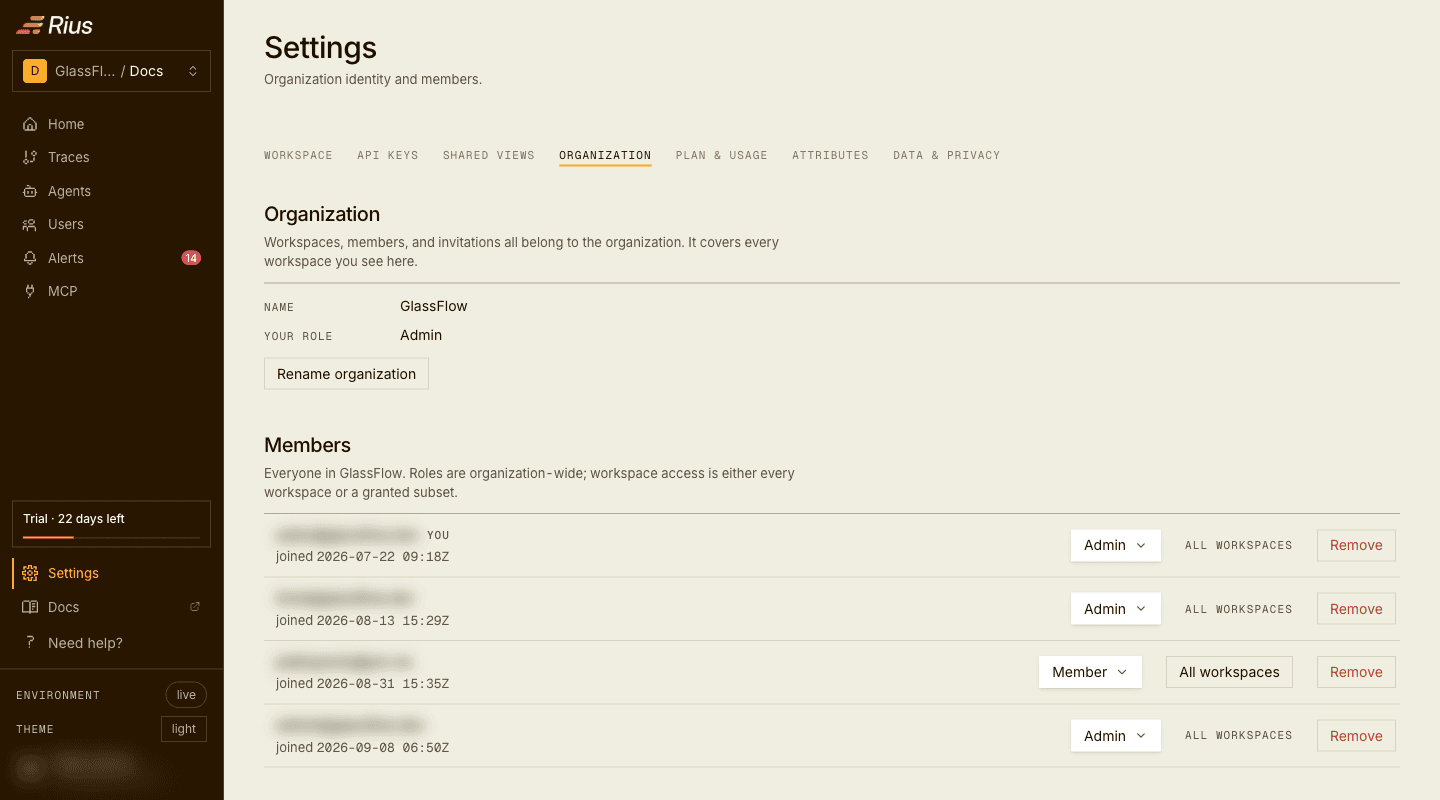
Inviting a teammate sends them an email with a one-time link to join. The invitation carries the role the new member will hold. Invitations expire after 7 days; accepted, revoked, and expired invitations leave the pending list.
After you send an invitation, the dialog also shows the link once so you can share it another way. If the email couldn’t be sent, the dialog says Invite link created instead of Invitation sent. Copy the link then and send it yourself, because it is not shown again.
Inviting, revoking pending invitations, changing a member’s role, removing a member, and renaming the organization are admin actions. Members see the member list and their own role.
Removing a member, or narrowing their workspace access with Specific workspaces, also revokes the coding-agent keys that member minted in the workspaces they lose: the keys created when they connected Claude Code, Codex, or Cursor. Keys created in the console are not touched, whoever created them.
Roles and permissions
Every member holds one of two roles in the organization. Roles are per organization: a user who belongs to several organizations can be an admin in one and a member in another.
- Admin manages the organization and its workspaces: members, invitations, API keys, alerting configuration, and the workspaces themselves. Admins always have access to every workspace in the organization.
- Member works with the telemetry: explores traces and agents, follows usage and cost, acknowledges firings, shares views, and connects MCP clients. Members cannot change how the organization or its workspaces are configured.
Roles and workspace access are separate settings. A member reaches either every workspace in the organization, the default, or only the workspaces an admin picks for them; admins change this per member from the member list, with Specific workspaces.
| Action | Admin | Member |
|---|---|---|
| View traces, agents, usage and cost, and the MCP call log | ✓ | ✓ |
| View alert rules and firings, acknowledge a firing | ✓ | ✓ |
| Connect MCP clients | ✓ | ✓ |
| Create and revoke shared views | ✓ | ✓ |
| List API keys (names and prefixes only) | ✓ | ✓ |
| Create, edit, delete, enable, or disable alert rules | ✓ | ✗ |
| Turn alerting on or off for the workspace | ✓ | ✗ |
| Manage distribution channels, including viewing them | ✓ | ✗ |
| Connect or disconnect the Slack integration | ✓ | ✗ |
| Turn root-cause analysis on or off per rule | ✓ | ✗ |
| Create or revoke API keys | ✓ | ✗ |
| Rename or delete a workspace | ✓ | ✗ |
| Invite members, list and revoke invitations | ✓ | ✗ |
| Change a member’s role, remove a member | ✓ | ✗ |
| Rename the organization | ✓ | ✗ |
The console hides the controls a member cannot use, and the MCP server refuses the same actions for a member.
An organization always keeps at least one admin: the last admin cannot be demoted to member or removed. Promote someone else first.
To leave an organization as an admin, click Remove on your own row, then Leave organization. You lose access to all of its workspaces right away, and getting back in takes a new invitation. Members can’t leave from the console; an admin removes them.
API keys can carry the alerts:manage and channels:manage scopes, which
let an MCP client or automation manage rules and channels the way an admin
does. See headless connections for
using a key with an MCP client.
Root-cause analysis
The Intelligence section of Settings → Workspace controls whether alert firings in this workspace are handed to an analysis agent, powered by Tares, that investigates the affected traces and writes a report back onto the firing page. The section shows whether analysis is on and lets an admin pause and resume it. While paused, alert context is still stored, but no analysis runs.
Analyses count against the organization’s plan allowance; see Root-cause analyses.
Per alert, the Root-cause analysis switch on the alert’s page decides whether that alert’s firings are sent; see Alerts.
Shared views
A shared view is a public link to a frozen window of traces, created with Share from the trace list. It freezes the time range, the status filter, and the filter chips that were active, so a link created from a failed-only view stays failed-only, and it expires after 24 hours, 7 days, or 30 days, whichever you picked. Any member can create and revoke shared views, not only admins. Anyone with the link sees metadata and rollups until it expires or you revoke it in Settings → Shared views. A shared view never carries span content, input or output previews, span error and status messages, exception events (message and stack trace), end user ids, instance or session ids, or the API key that sent a trace. Links themselves are shown only at creation, the same rule as API keys:
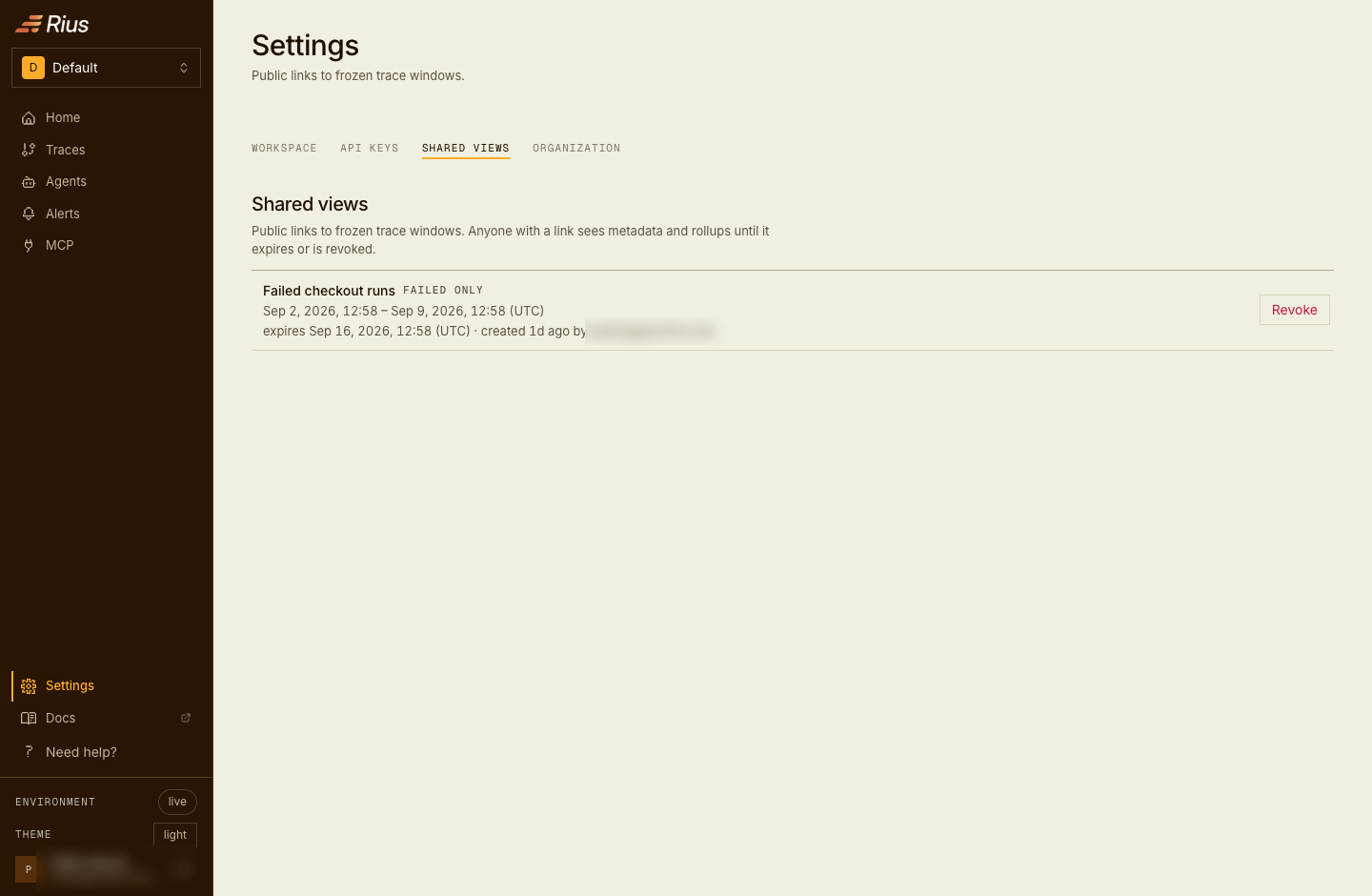
Each active link lists its frozen window, expiry, and creator; a link can be restricted to failed traces only.
The recipient opens a read-only page scoped to exactly that window: the rollups, the trace list, the filters the link applies, and nothing else of the workspace.
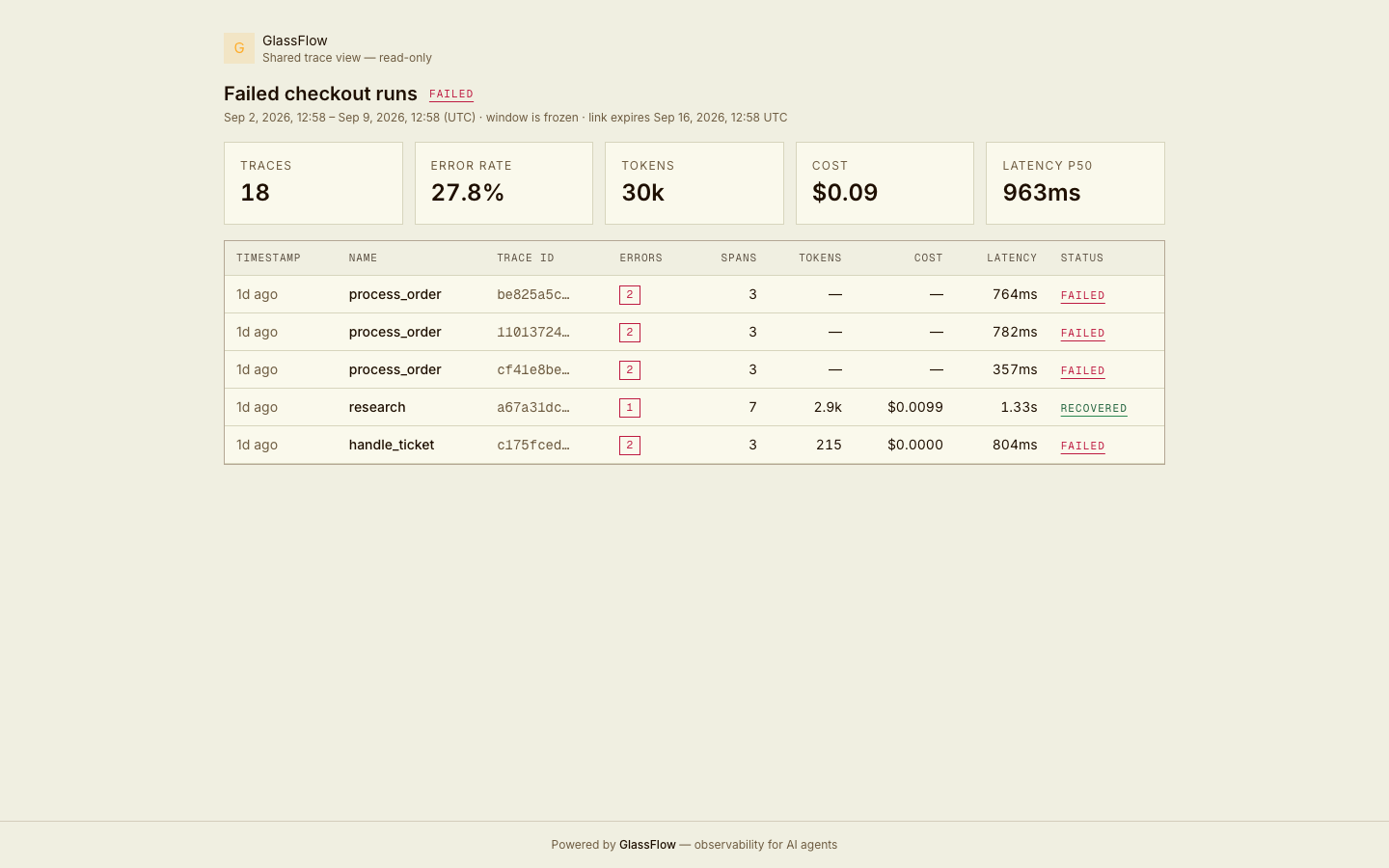
The recipient’s view of a failed-only link: frozen window, expiry, and rollups, with no access to the rest of the workspace.
Attributes
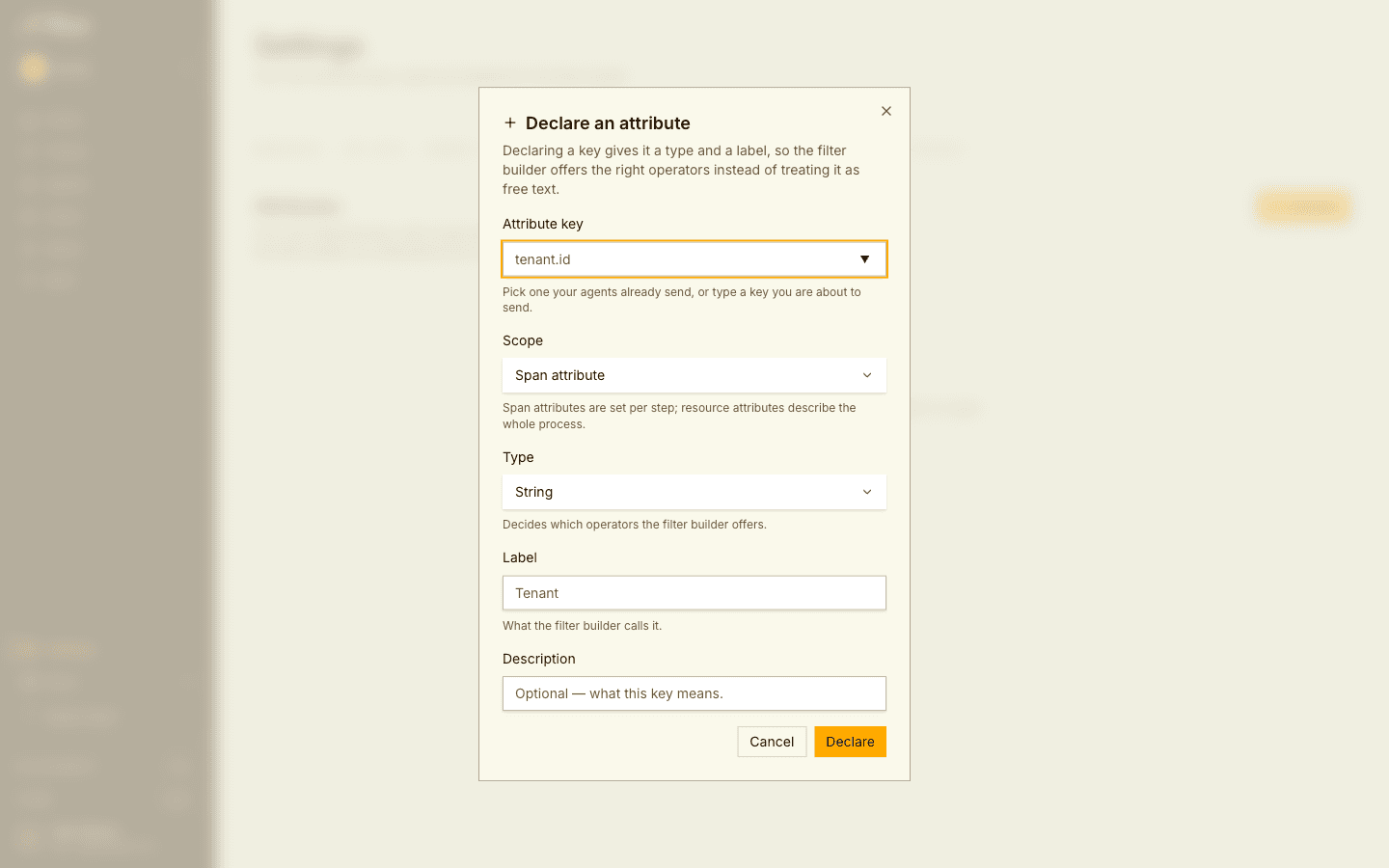
Settings → Attributes lists the attribute keys declared for the workspace. Declaring a key your agents already send gives it a type (string, number, or boolean) and a label: the filter builder then lists it under its label, with the operators its type calls for. An undeclared key stays filterable as text. Declaring changes no trace data.
Admins Declare a key with its attribute key (letters, digits, dots, dashes, and underscores, up to 256 characters), its scope (span or resource attribute), its type, a label, and an optional description. They can edit the type, label, and description later, or Undeclare the key, which returns it to a plain text filter. An admin can also declare a key straight from a span’s attribute menu; see Filter from a span. Members see the declared keys.
Plan and usage
Settings → Plan & usage shows the organization’s plan, its usage against the plan’s limits, and, for admins, the way to subscribe. See Plans and billing.
Data and privacy
Settings → Data & privacy sums up what happens to this workspace’s data, with a link to the clause of the Terms or Privacy Policy each statement comes from. Every member can open it.
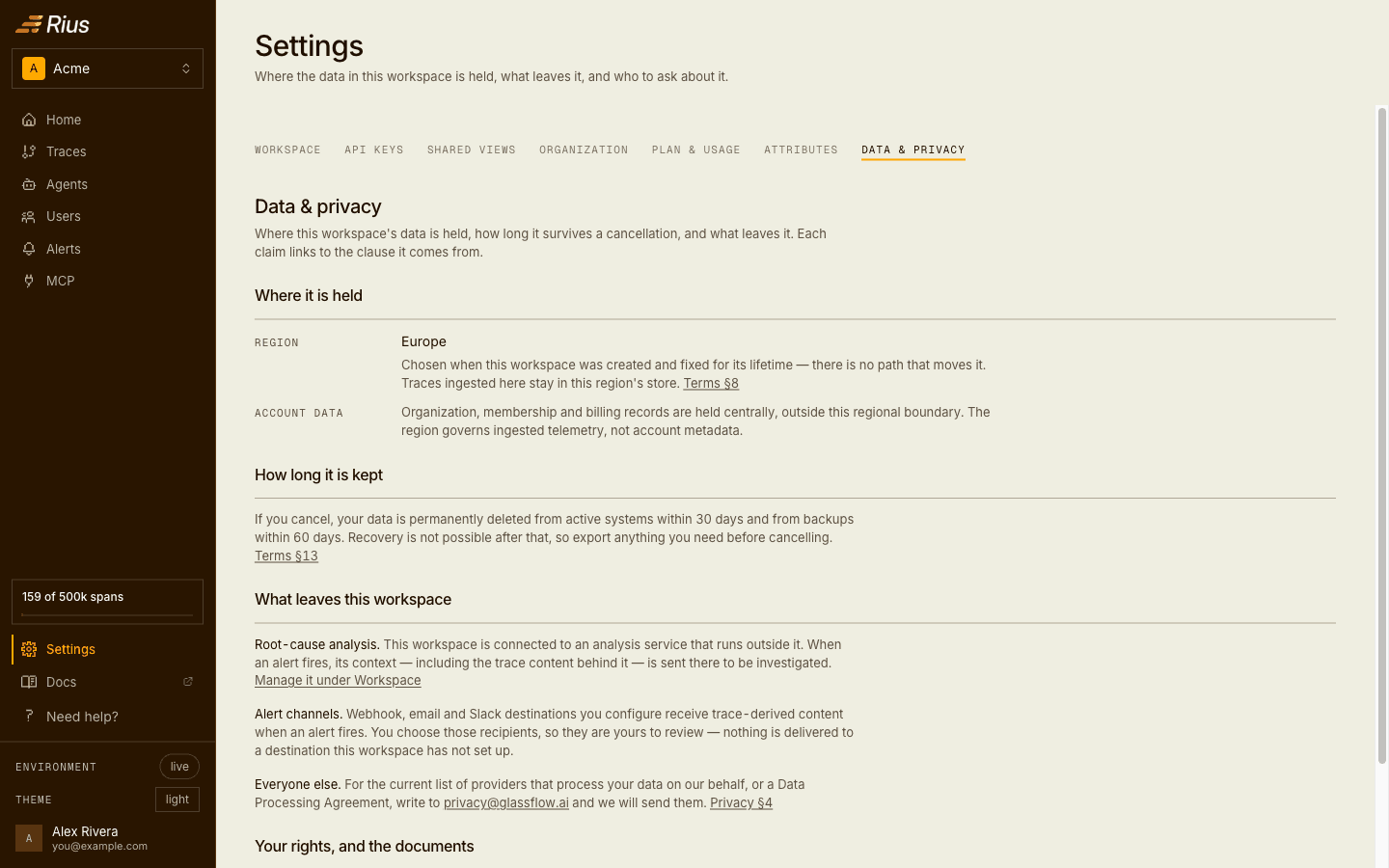
- Where it is held: the workspace’s region. It is picked when the workspace is created and never changes, and ingested traces stay in that region. Organization, membership, and billing records are held centrally, outside the region.
- How long it is kept: after you cancel, your data is deleted from active systems within 30 days and from backups within 60 days. It can’t be recovered after that, so export what you need first.
- What leaves this workspace: while the workspace is connected to root-cause analysis, paused included, alert context, including the trace content behind it, is sent to an analysis service that runs outside the workspace; admins see whether this workspace is connected. Alert channels you set up receive trace-derived content when an alert fires. For the list of providers that process data for us, or a Data Processing Agreement, write to privacy@glassflow.ai.
- Your rights, and the documents: how to ask for a copy, correction, or deletion of your personal data, and links to the Terms of Service and Privacy Policy.
Next steps
- Installation and configuration: where the API key goes in the SDK.
- Exploring traces: the view a shared link freezes.