Ask
Ask is the assistant built into the console: type a question about your data and it investigates with the same read API everything else uses, showing each tool call as it works. Open it under Ask in the sidebar, or summon it from anywhere with ⌘K.
Which service had the most errors in the last 24 hours, and what happened to it?
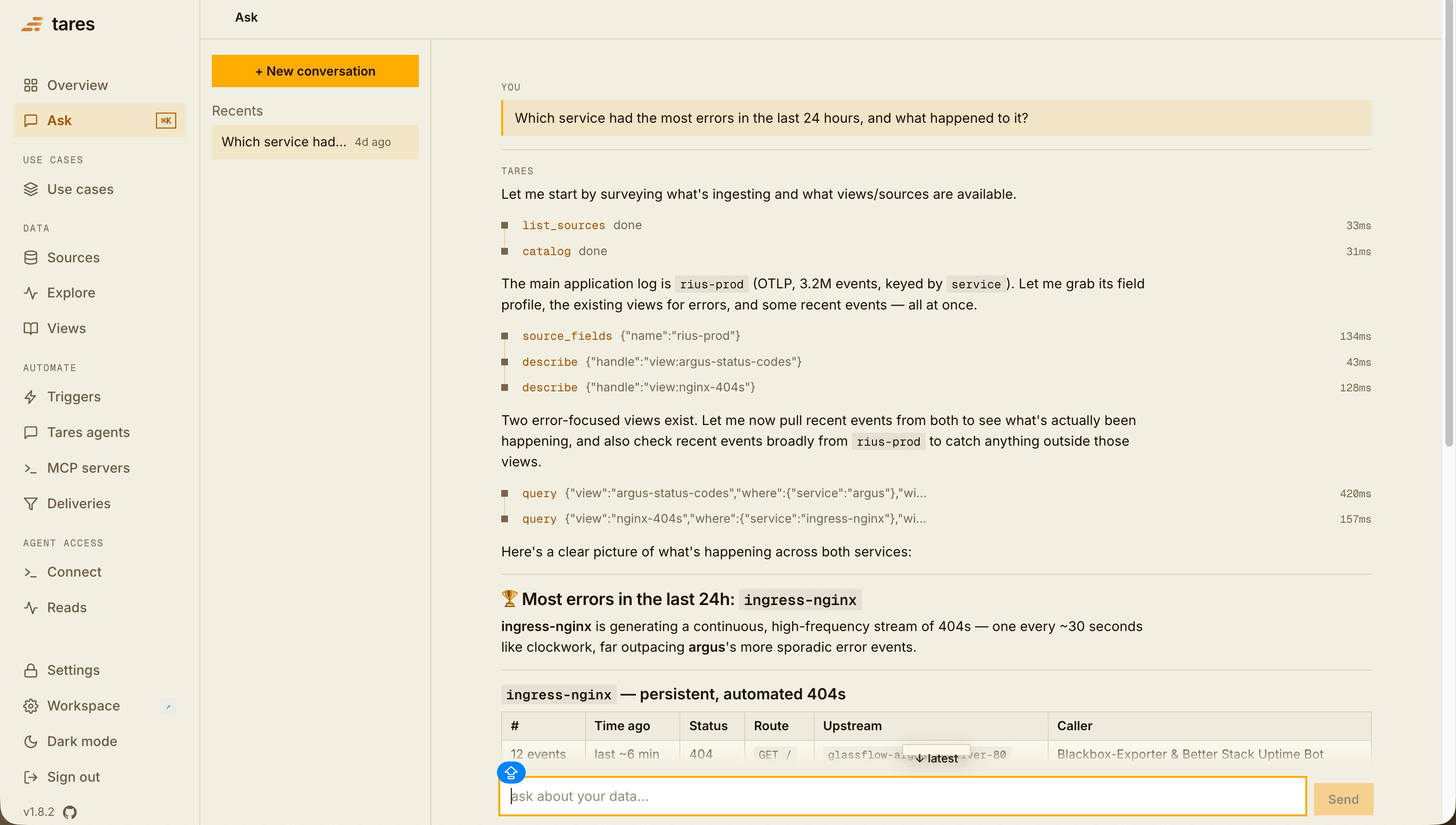
Use it to check what’s flowing, debug a source that looks off, or explore an instance you’ve just connected, without wiring up an external client first.
What it can do
Ask runs as a chat loop on the daemon (up to 10 tool rounds per question). Its tools are thin calls to the daemon’s own read endpoints, so it sees exactly what the API exposes and nothing more:
- Explore the data: list sources and connectors, describe any catalog object (schema,
entities, freshness, samples), profile a source’s fields, list entities, read recent events,
list projects, and
reada correlated timeline, across every source or only a project’s. - Debug something: the same read tools answer “is anything not ingesting?”, “what looks sparse?”, “why is this label missing?” from live health and field coverage.
- Organize it: two proposal tools (
propose_labels,propose_trigger) draft catalog changes as cards you Apply or skip. A proposed trigger names its sources and, when you apply it from Ask, goes to the Default project. The proposals themselves change nothing; Apply goes through the same validated management APIs the console forms use.
The empty state offers starter questions for each of the three.
To set up a whole project from a goal instead of asking questions, use the guided setup.
What it needs
A model provider on the instance: ANTHROPIC_API_KEY in the daemon’s
environment, or one added in the console under Settings → Model providers. Ask runs on the
instance’s default provider, and the chat says which; the same providers power
Tares agents. The model is that provider’s default: TARES_AGENT_MODEL
(claude-sonnet-4-6 unless set) on Anthropic.
Ask vs your own agent
Ask lives inside the console and reads this one instance. For an agent in your own workflow (Claude Code, Cursor, your own service) with the same read surface plus subscriptions, connect it over MCP. Both benefit from the findings Tares agents leave on the timeline.