Client setup
The Rius MCP server is a remote server speaking the MCP streamable HTTP transport at:
https://mcp.eu.console.rius-glassflow.com/mcpAny MCP client that supports remote servers with OAuth can connect. On the first connection your client opens a browser window; sign in with your Rius account and the client stores the session. There are no API keys or secrets to configure, so the config snippets below are safe to commit.
The MCP page in the console shows the same setup command with a client picker, including how access is scoped:
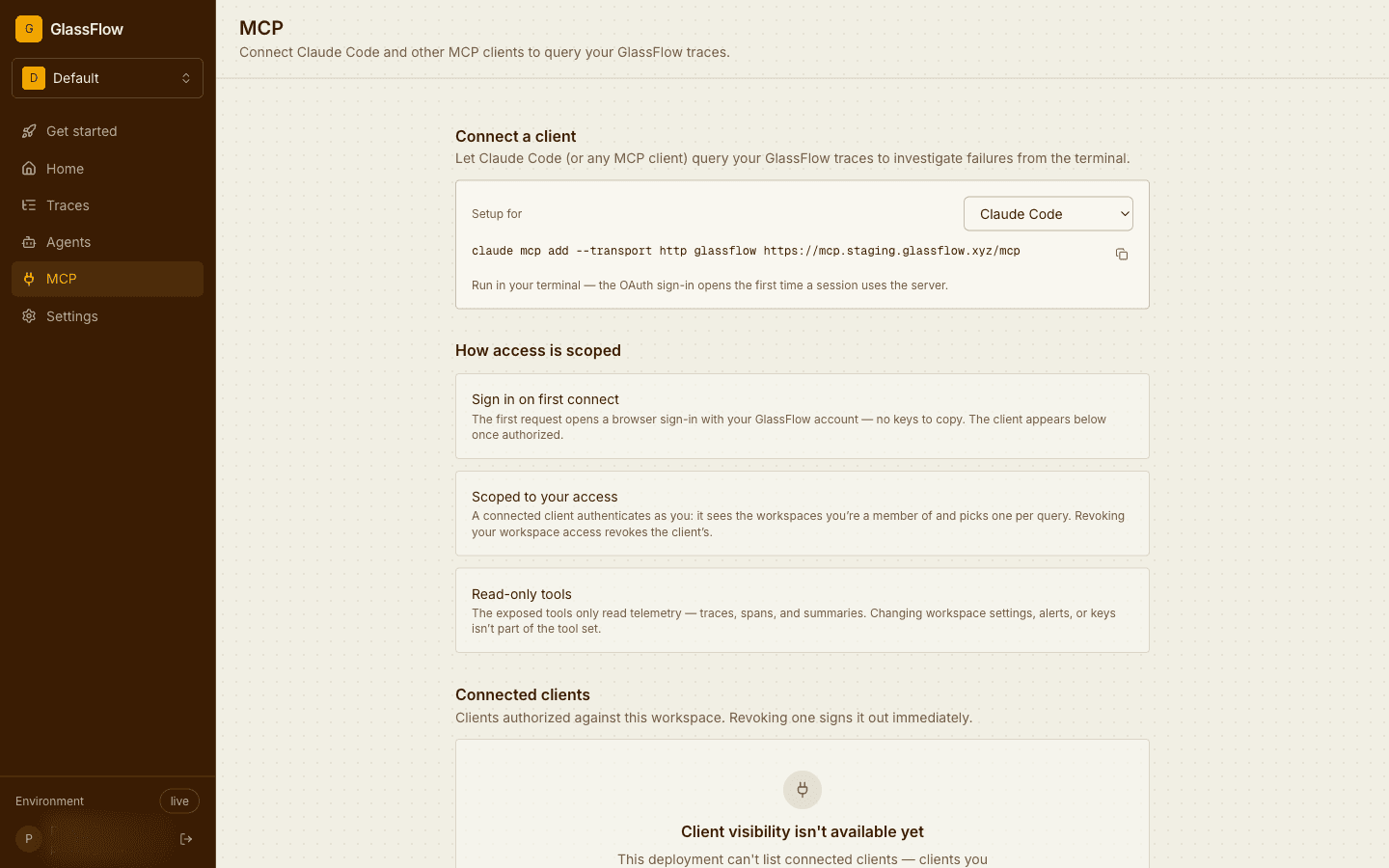
Claude Code
claude mcp add --transport http glassflow https://mcp.eu.console.rius-glassflow.com/mcpRun /mcp inside a session, select glassflow, and complete the browser
sign-in. claude mcp list shows the connection state afterwards.
Claude Desktop
- Open Settings → Connectors → Add custom connector.
- Name it
Riusand paste the URLhttps://mcp.eu.console.rius-glassflow.com/mcp. - Click Add, then Connect to complete the browser sign-in.
Cursor
Add the server to .cursor/mcp.json in your project (or the global
~/.cursor/mcp.json):
{
  "mcpServers": {
    "glassflow": {
      "url": "https://mcp.eu.console.rius-glassflow.com/mcp"
    }
  }
}
Cursor detects the change and prompts you to sign in; you can also trigger the sign-in from Settings → MCP.
Any other MCP client
Configure a remote server with:
- Transport: streamable HTTP
- URL:
https://mcp.eu.console.rius-glassflow.com/mcp - Auth: OAuth 2.1; the server advertises its authorization metadata, so clients that implement the MCP authorization spec discover everything else automatically.
Clients that only support stdio servers can bridge to a remote URL with
mcp-remote: use npx mcp-remote https://mcp.eu.console.rius-glassflow.com/mcp as the
stdio command.
Verify the connection
Ask your client:
Who am I in Rius, and which workspaces can I access?
The client should call the get_me tool and answer with your email and a
workspace table. If it does, everything works; head to the
example workflows.
Troubleshooting
- The browser sign-in loops or the client reports an auth error. Remove and re-add the server; a stale cached token is the usual cause after a long idle period.
- The client connects but lists no tools. Check you completed the browser sign-in: most clients show the server as connected before the OAuth flow has finished.
- Your organization uses SSO restrictions. The MCP server accepts the same accounts as the Rius console; if you can sign in to the console, the MCP sign-in works too.
Next steps
- Tool reference: every tool the server exposes, with arguments and examples.
- Example workflows: complete investigation patterns to run from your client.